Parent Letter Response Options
General
edjufy provides you with three response options in the third step of creating a parent letter, which we would like to explain in more detail in this section.
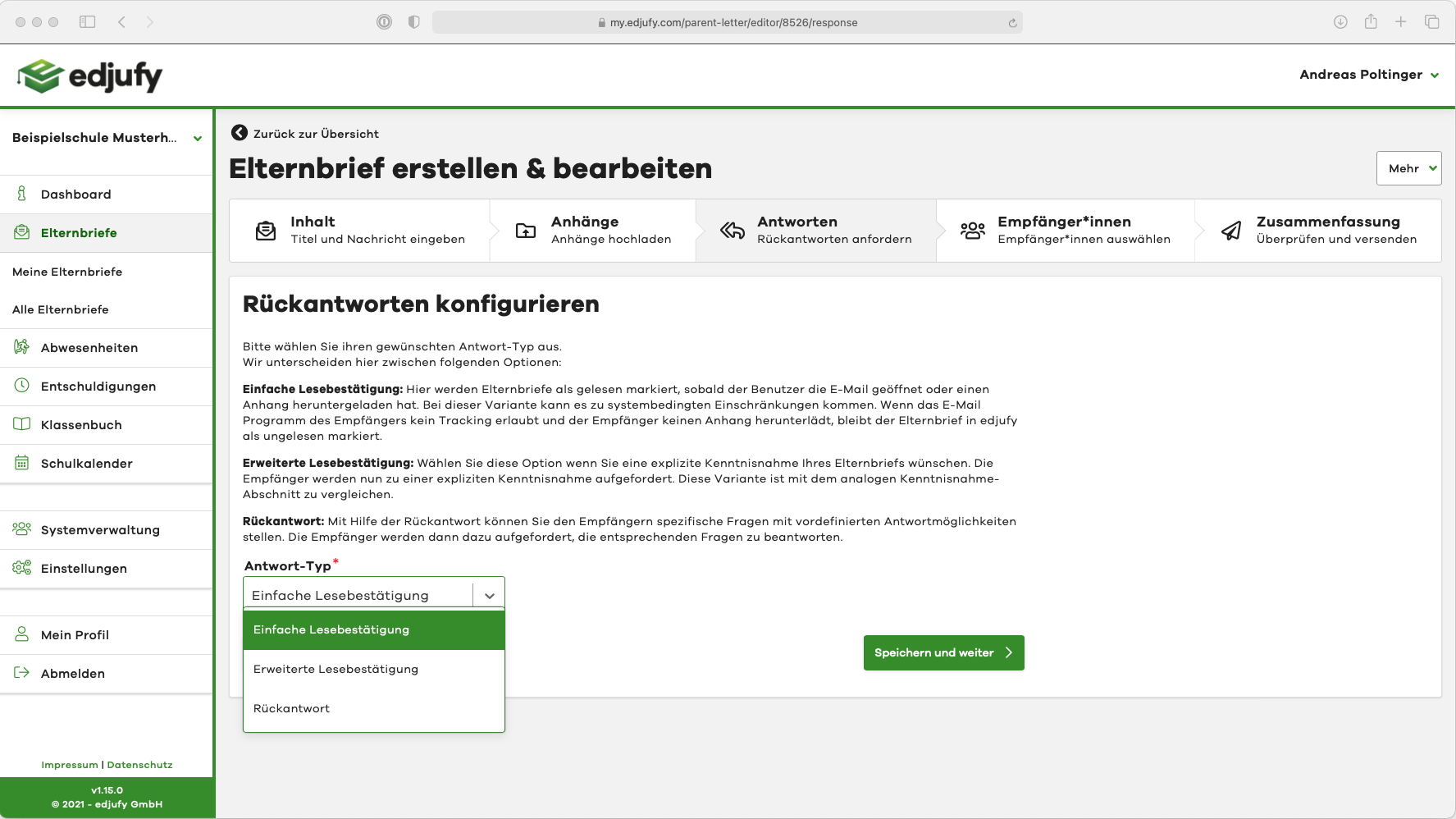
Simple Read Confirmation
Description
Here, parent letters are marked as read when:
- the user has opened the email (there may be system-related limitations if the recipient's email program does not allow tracking. In this case, the parent letter remains marked as unread in edjufy.)
- an attachment is downloaded
- the user opens the parent letter in edjufy (this also applies to legal guardians who join the school during the school year and read older parent letters in edjufy)
Example - Email
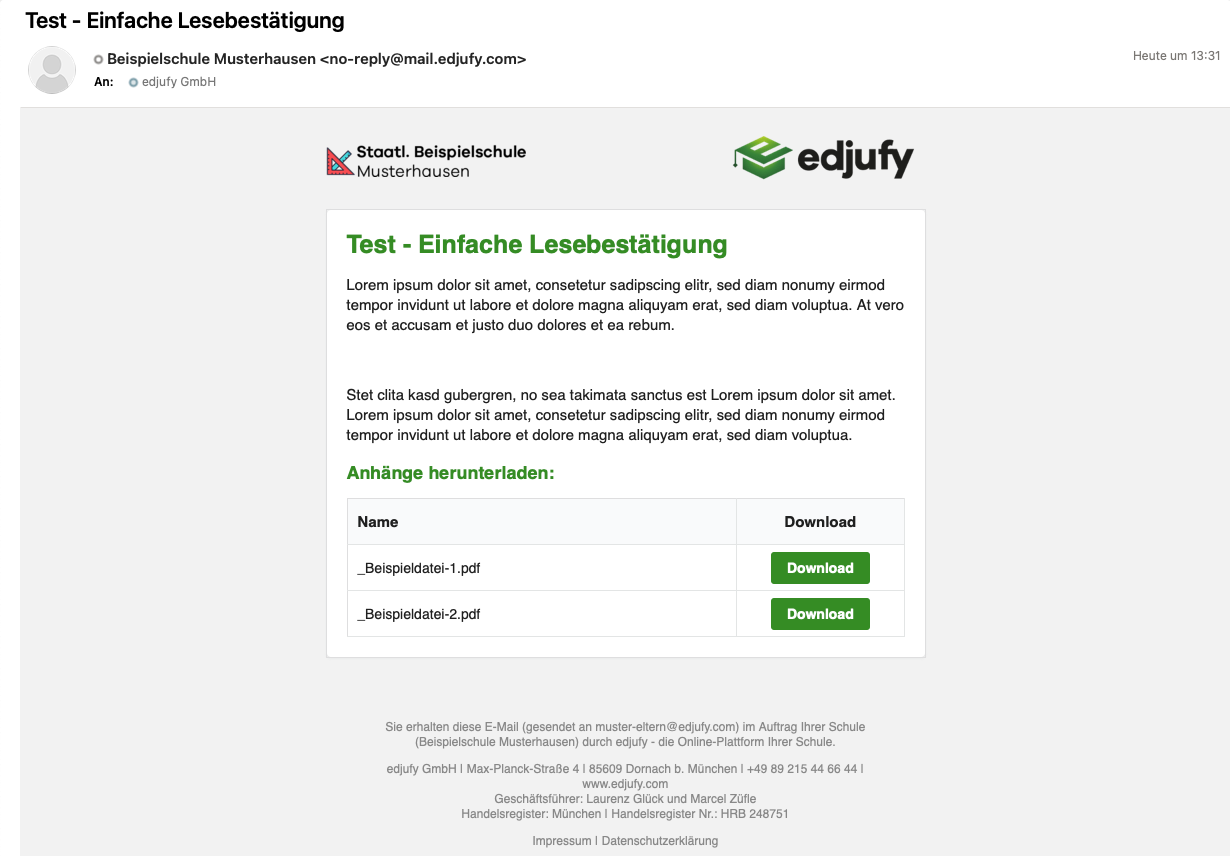
The email of a parent letter with Simple Read Confirmation looks approximately like the following example:
Extended Read Confirmation
Description
Select this option if you require explicit acknowledgement of your parent letter. The recipients will now be asked to explicitly acknowledge receipt. This variant is comparable to the analogue acknowledgement section.
Here, legal guardians must explicitly click on a confirmation button.
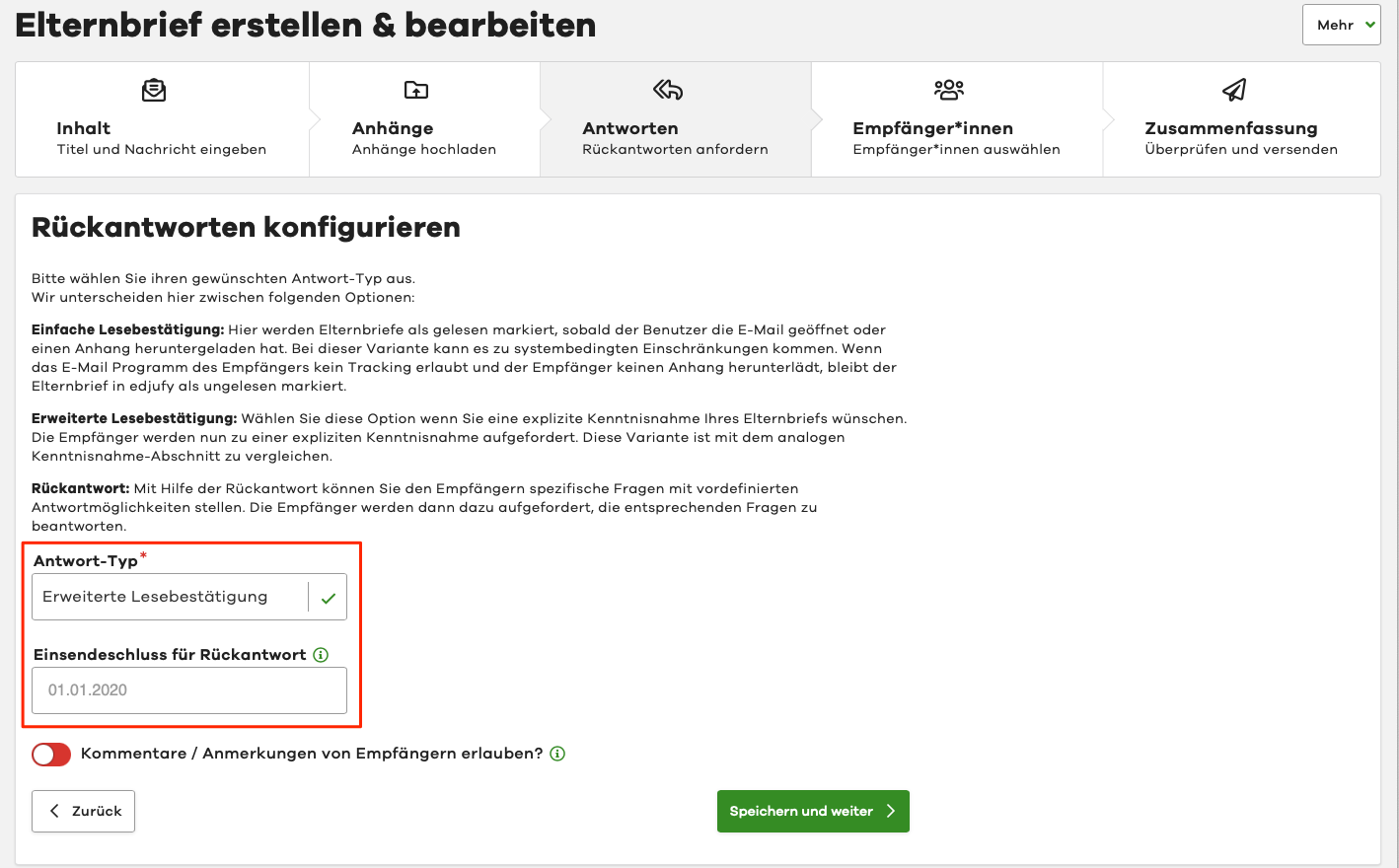
Options
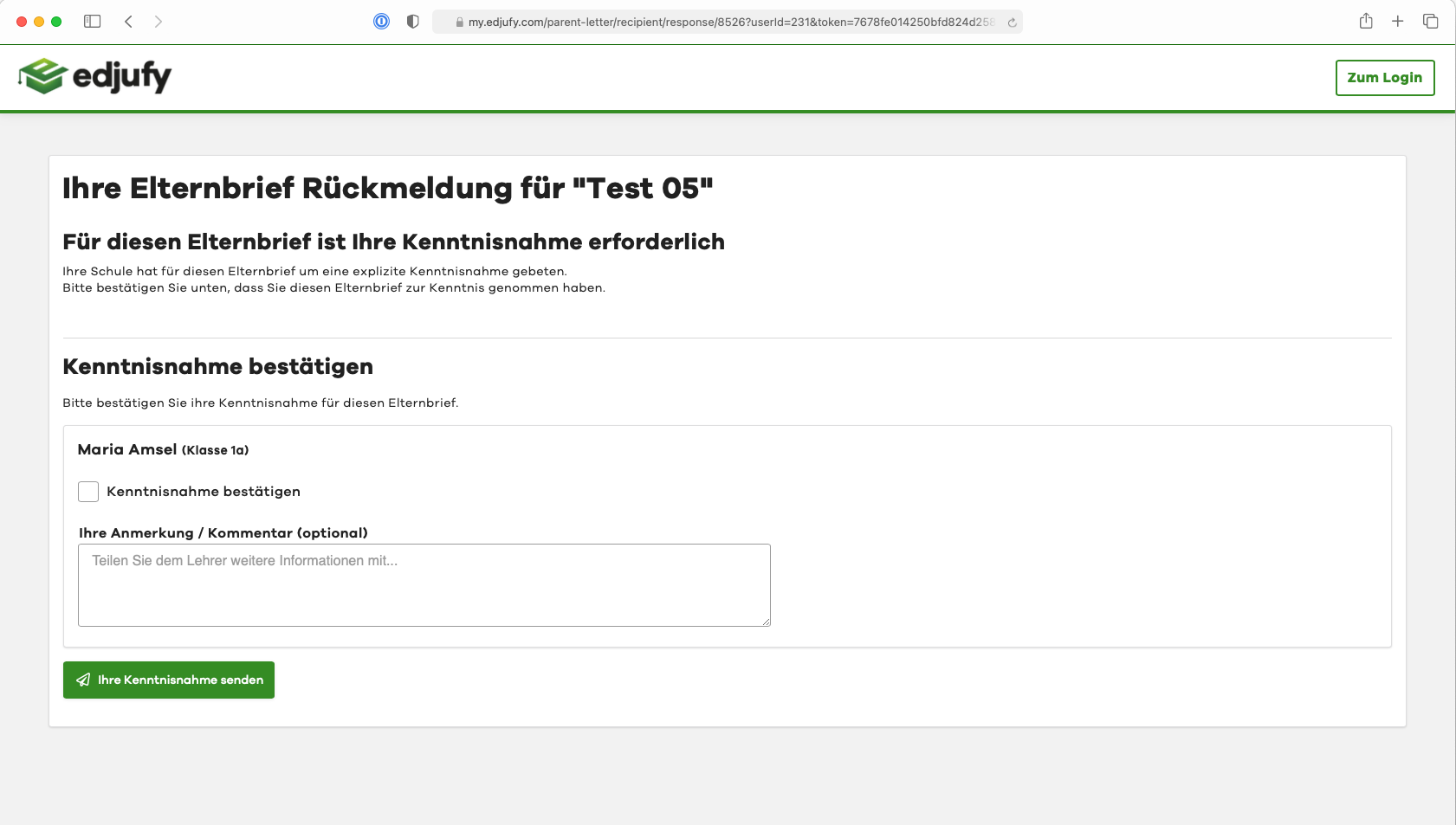
In the Extended Read Confirmation, in addition to the submission deadline, you can also give legal guardians the option to provide a comment / note in free text format. However, for surveys, we generally recommend the response type Response.
Example - Email
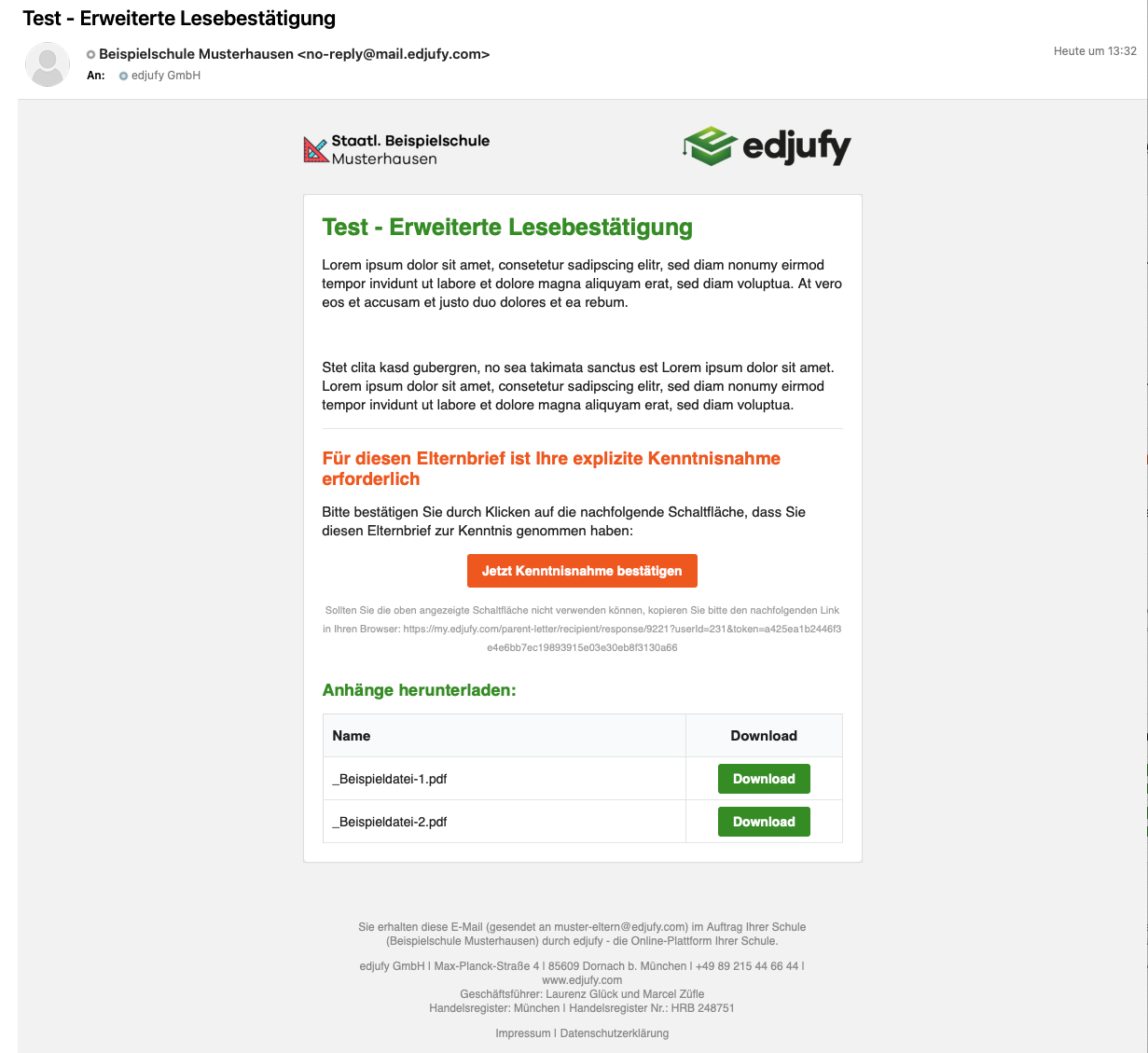
The email and confirmation process of a parent letter with Extended Read Confirmation looks approximately like the following example. By clicking on Confirm Acknowledgement Now, recipients are taken to a page where they can confirm acknowledgement for one or more pupils.
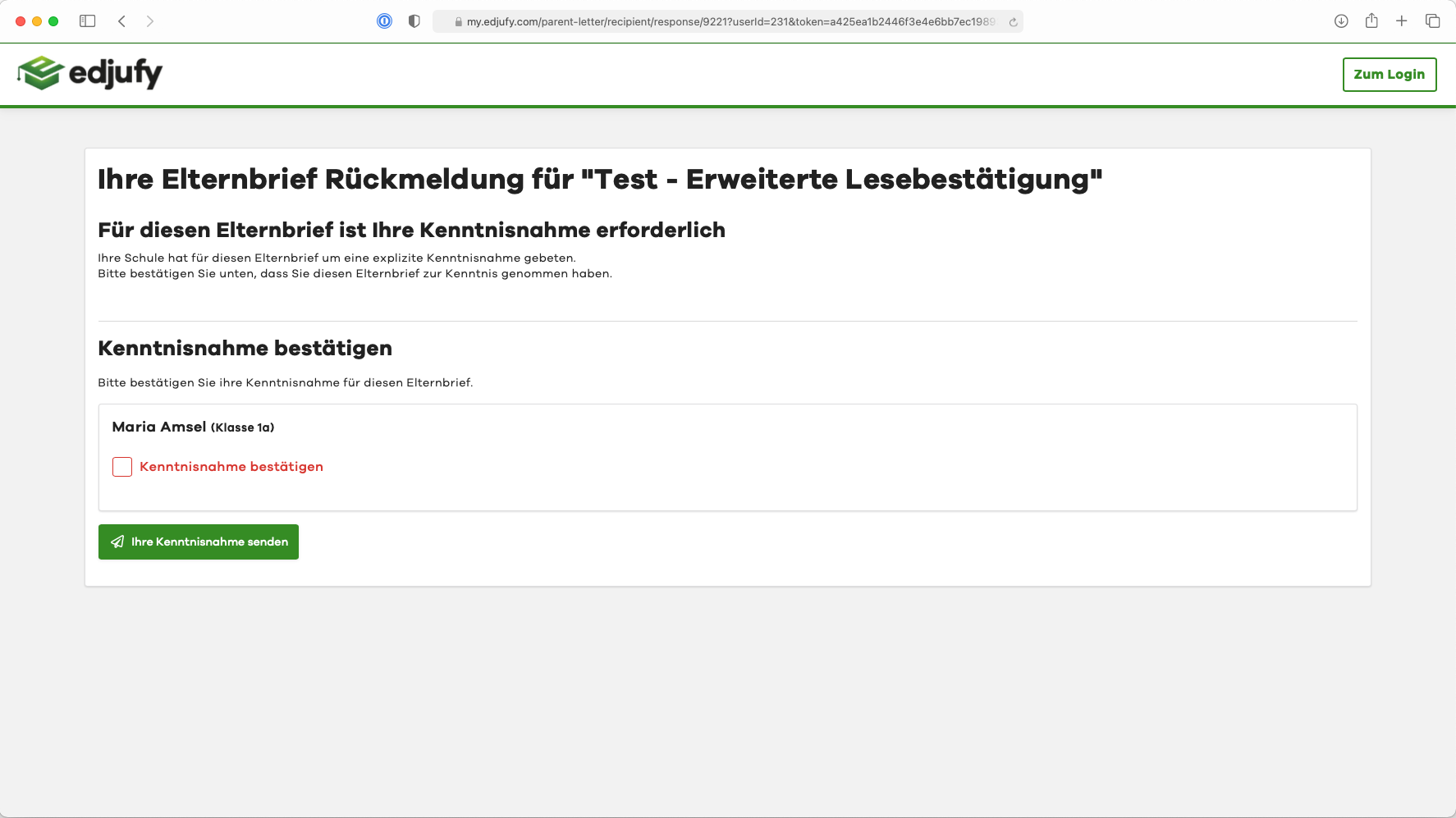
Example - Submitting Read Confirmation without Comment Option
Example - Submitting Read Confirmation with Comment Option
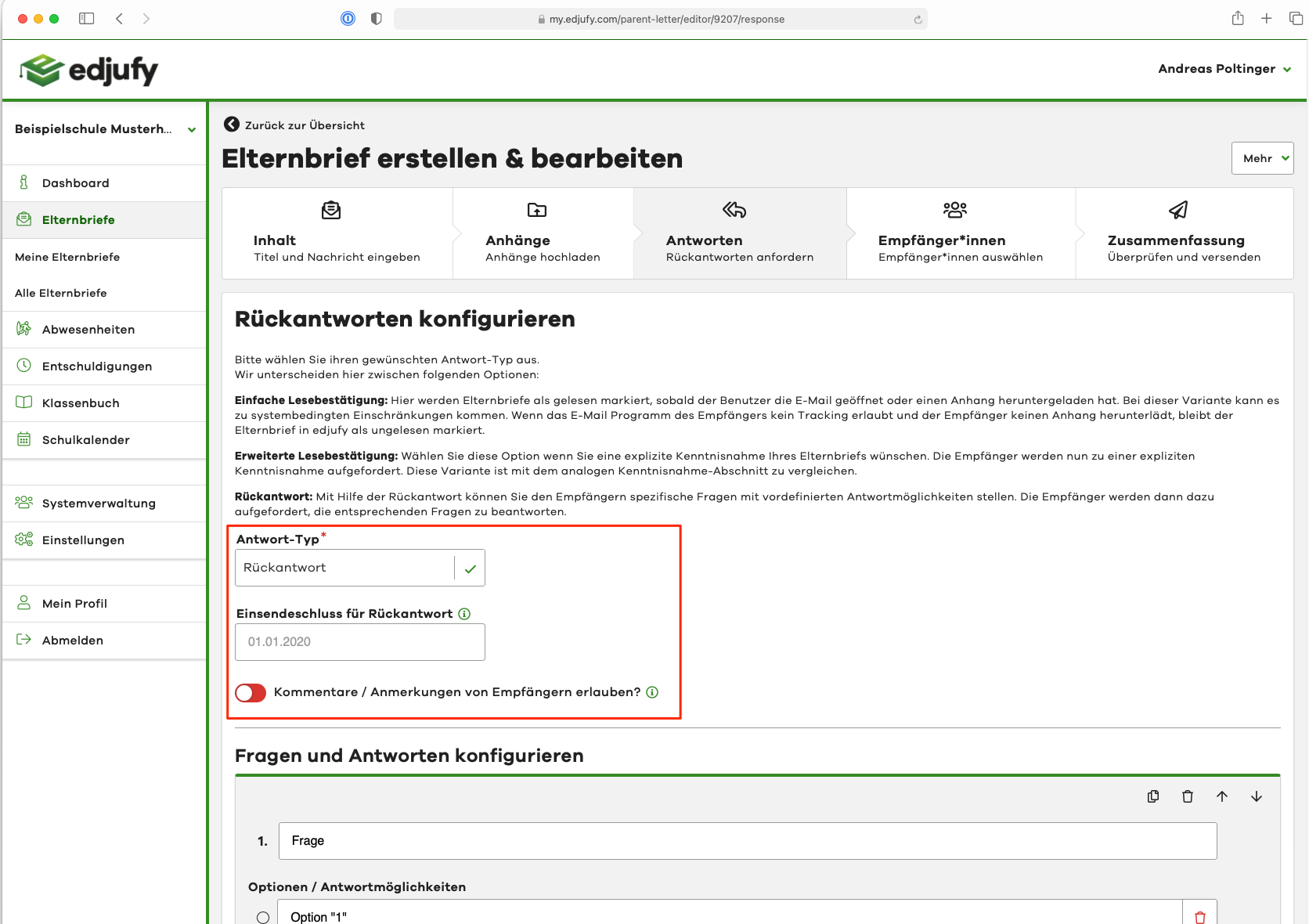
Response
Description
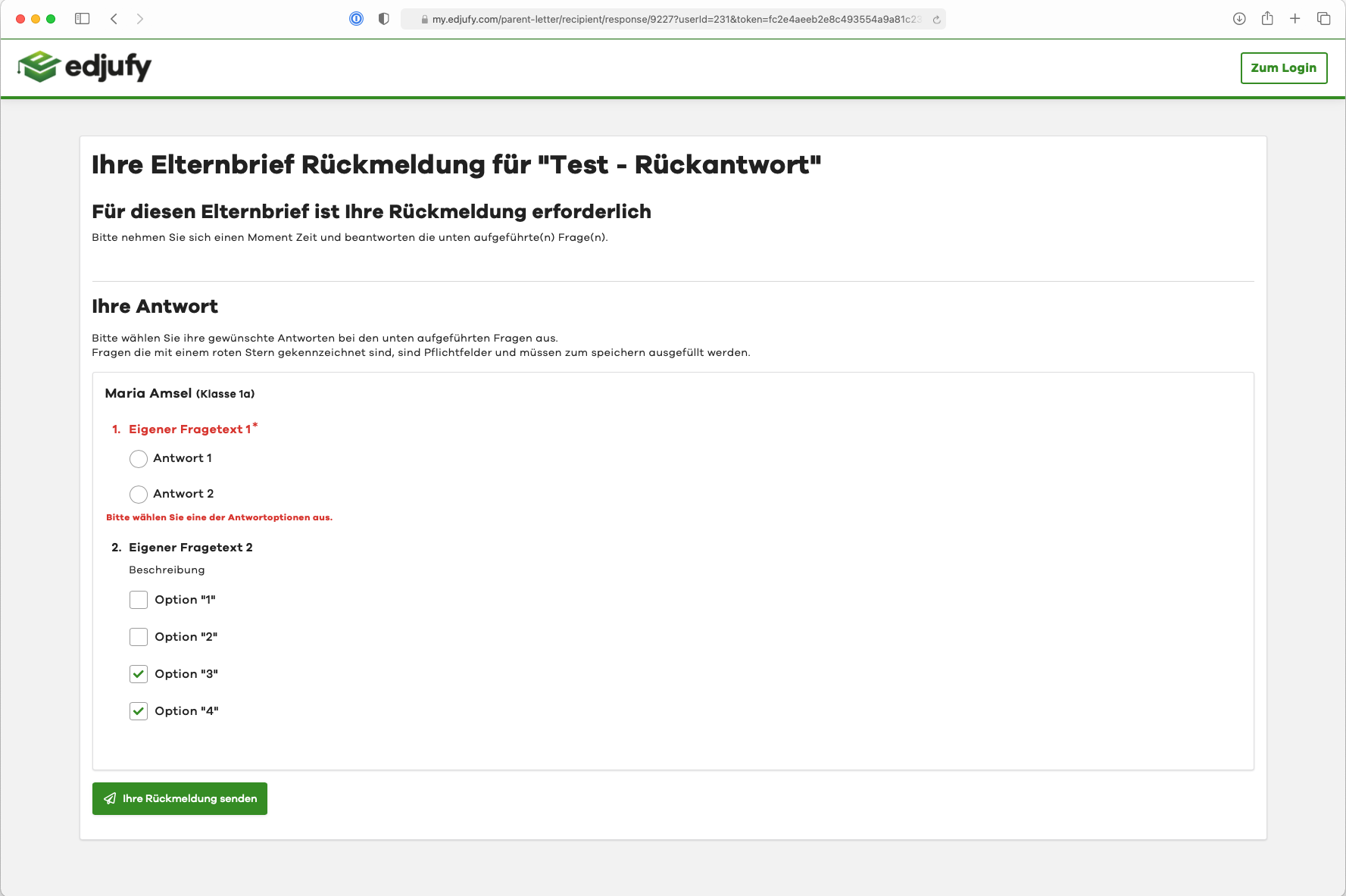
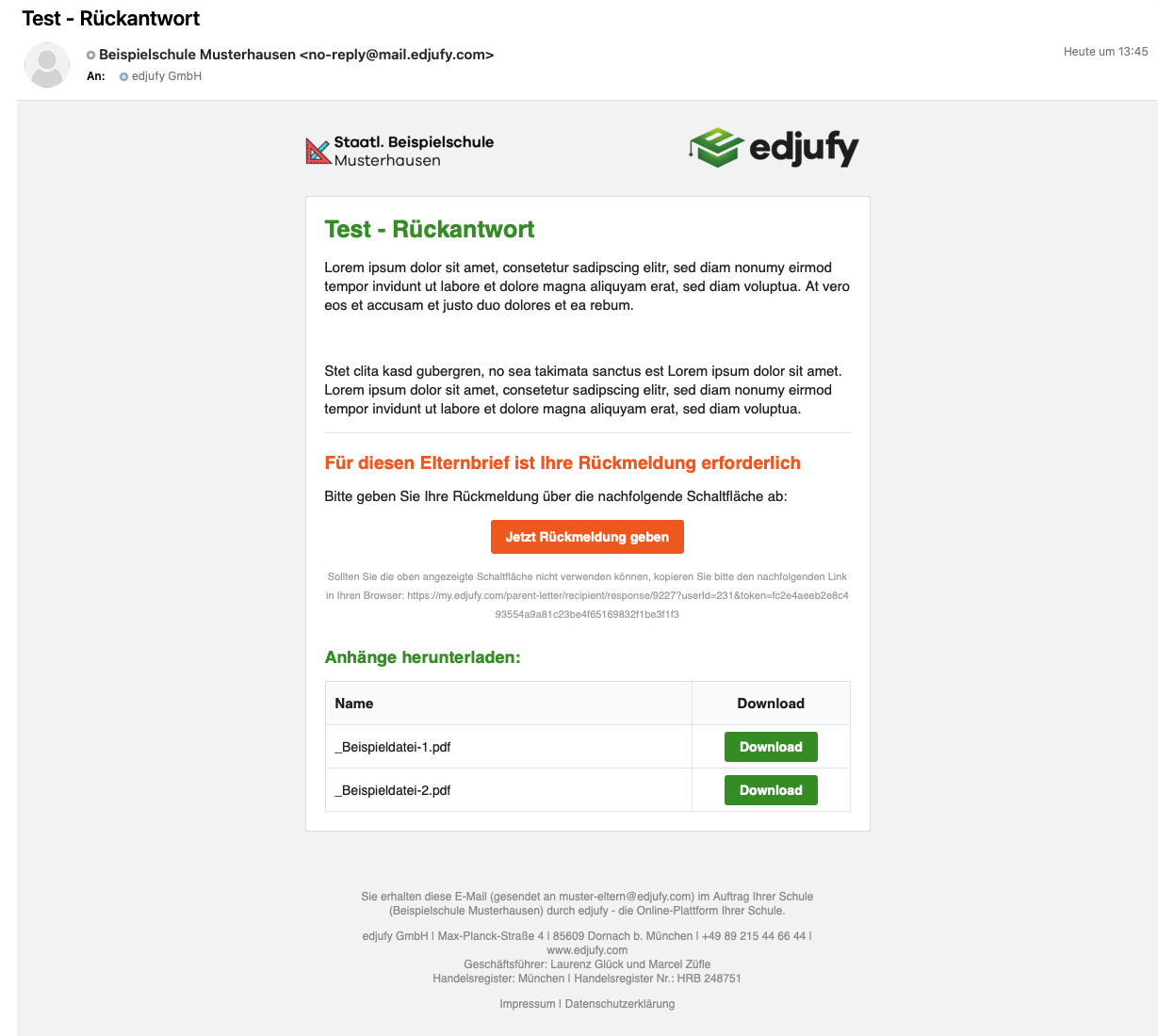
With the help of responses, you can ask recipients specific questions with predefined answer options. The recipients will then be asked to answer the corresponding questions.
Options
Just like with the Extended Read Confirmation, you can also define a submission deadline for responses and allow an additional comment / note in free text format when submitting answers.
Example - Email
The email and response process of a parent letter with Responses looks approximately like the following example:
Example - Submitting a Response