Trial Information
Introduction
Dear Sir or Madam,
this part of the documentation is intended for prospective customers who have received a test environment from the edjufy customer support team and are now ready to begin testing.
Support - We are here for you
If your personal account manager is not available, the edjufy Support is of course also at your disposal.
Sandbox Mode
Typically, all test environments are in what is called sandbox mode. In this mode, all emails sent by the system are redirected to a specific email address. Your account manager will configure this email address for you.
The sandbox mode serves as a security measure for you and also makes testing sick notes etc. much easier, as you receive emails from both sides (legal guardians and teachers) in your mailbox and can compare them directly.
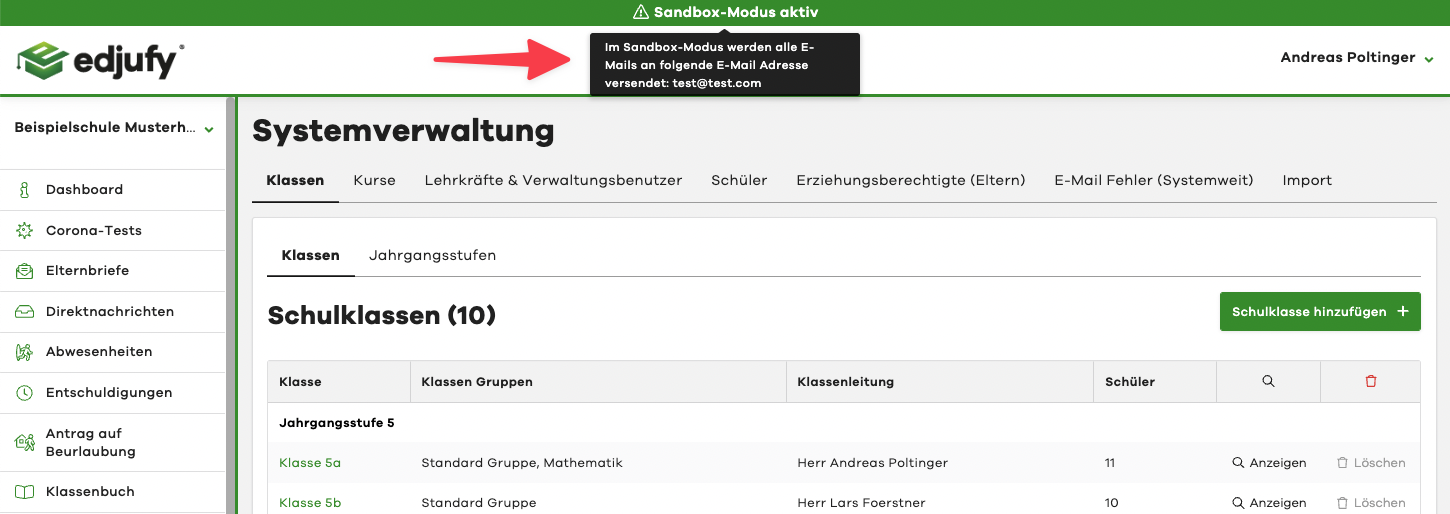
When sandbox mode is activated in your environment, this is displayed in the edjufy application in a green bar. If you hover your mouse over the warning, we will show you the configured sandbox address.
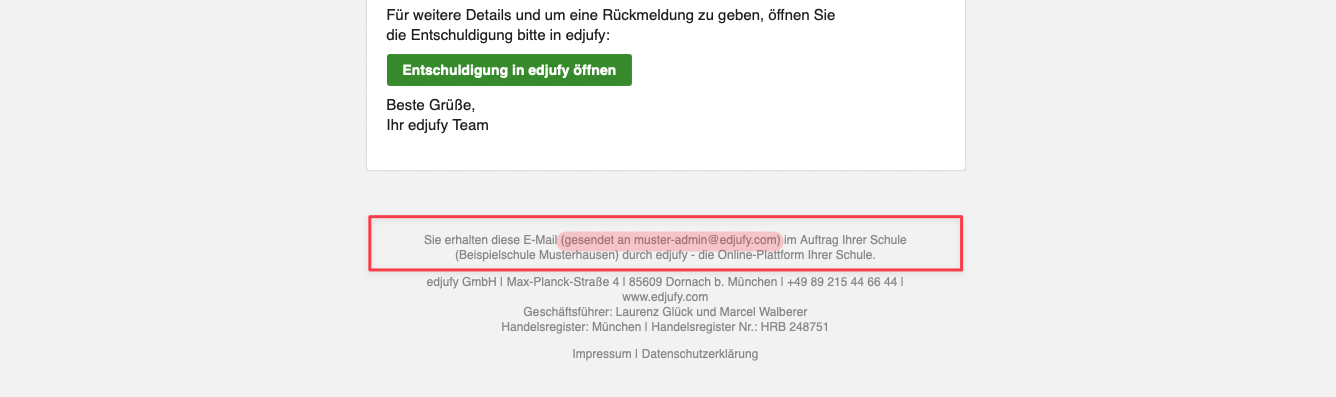
A small note in the footer of the email reveals - should you be unsure - to whom the email would have been sent in production use.