Exporting Lesson Log Entries
General
If you want to export documented entries from the Lesson Log for your records, so that you can access them in the next school year, for example, you can easily do this via the export function.
The export function provides you with an Excel export that contains all entries from the Lesson Log.
The export can be performed per class, group, or course in the Lesson Log module.
Performing a Lesson Log Export
To perform the Lesson Log export, proceed as follows:
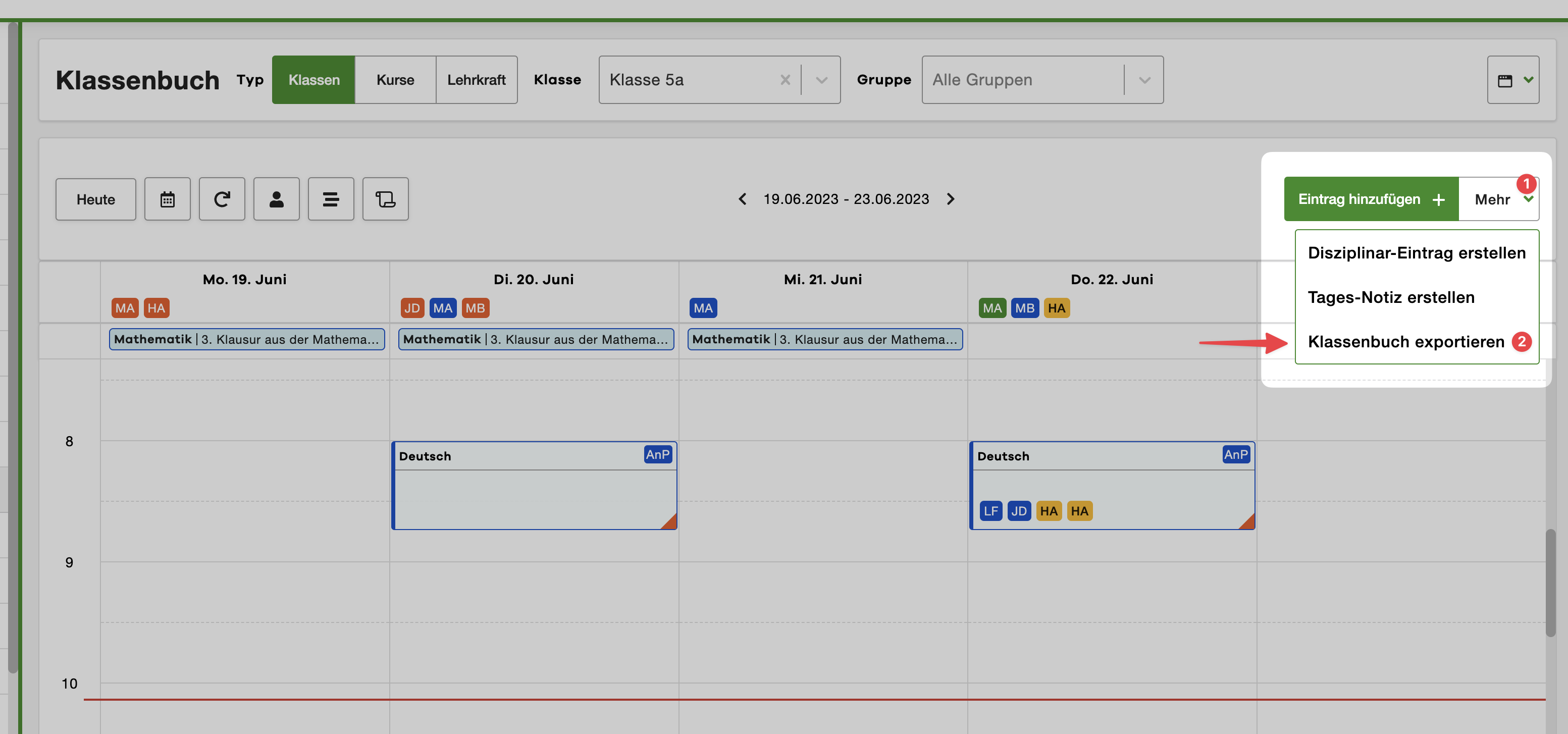
- Open the Lesson Log module
- Select the class, group, or course for which you want to perform the export
- Click on the More button in the upper right corner
- Select the Export Lesson Log entry from the menu
Configuring the Export
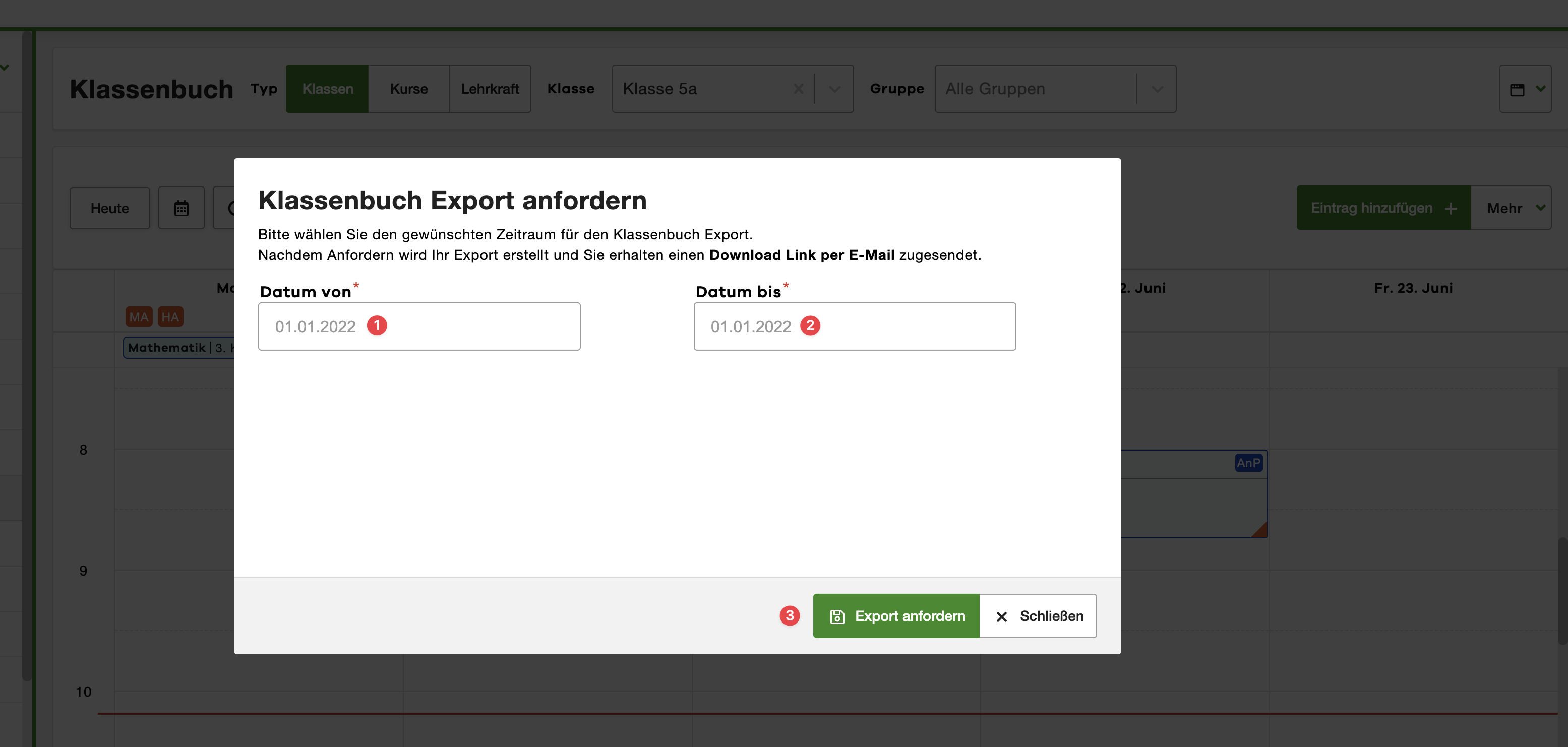
The export configuration window will now appear. Here you can make the desired settings for the export.
Please select the desired time period for which you want to perform the export.
Then click on the Request Export button to start the export.
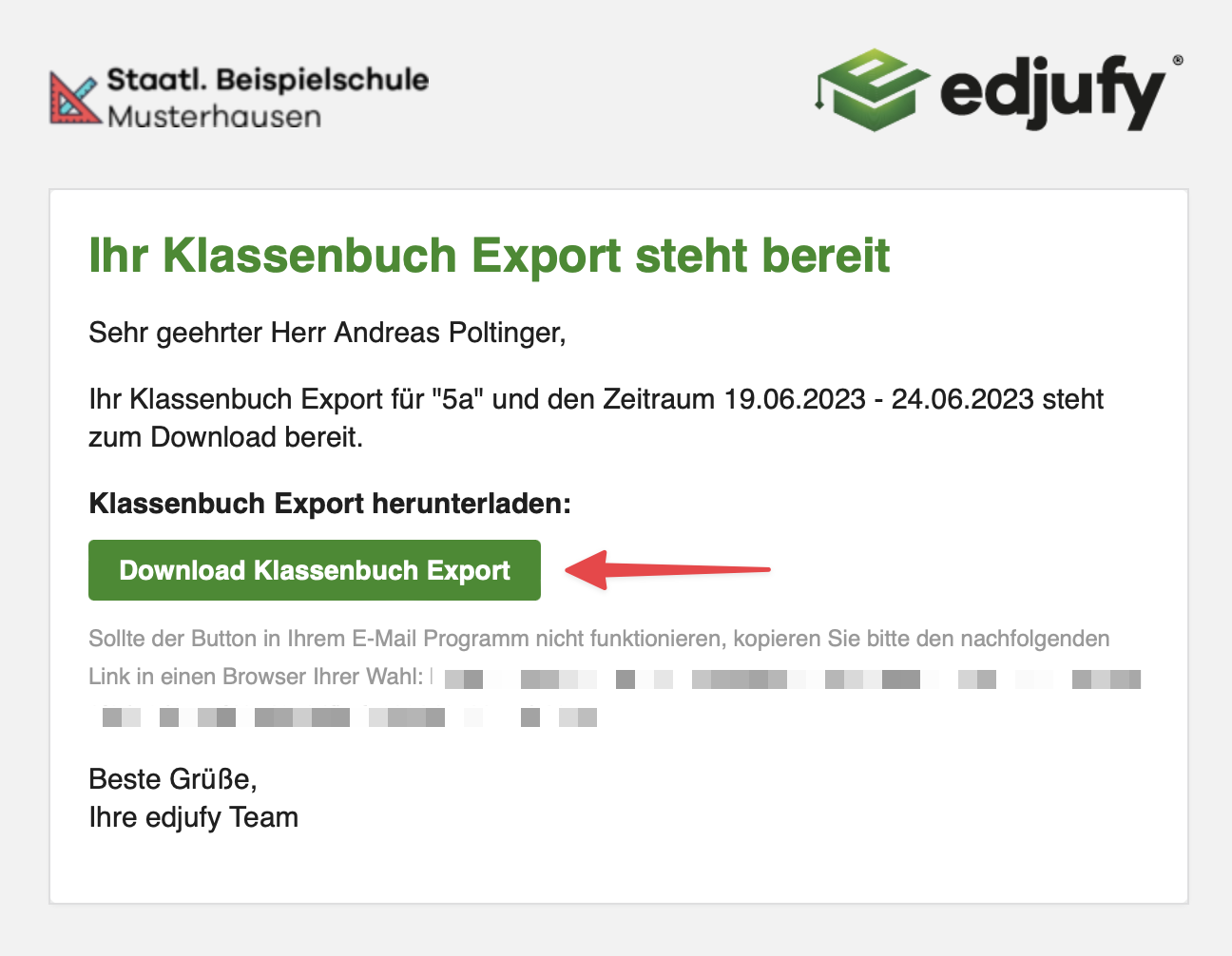
The system will now generate the desired export. Once the generation is complete, you will receive an email with a link to download the export.
Downloading the Export
Once the export has been generated, you will receive an email with a link to download the export.
Click on the download link in the email to download the export.