Lesson Log Archive
General
Through the Lesson Log Archive, you can access Lesson Logs from previous school years.
This functionality is especially helpful for the subsequent Export of Lesson Log entries.
Opening the Lesson Log Archive
To open the Lesson Log Archive, proceed as follows:
- Select the Lesson Log module from the menu
- Open the view settings in the upper right corner
- Select the option Enable Lesson Log Archive?
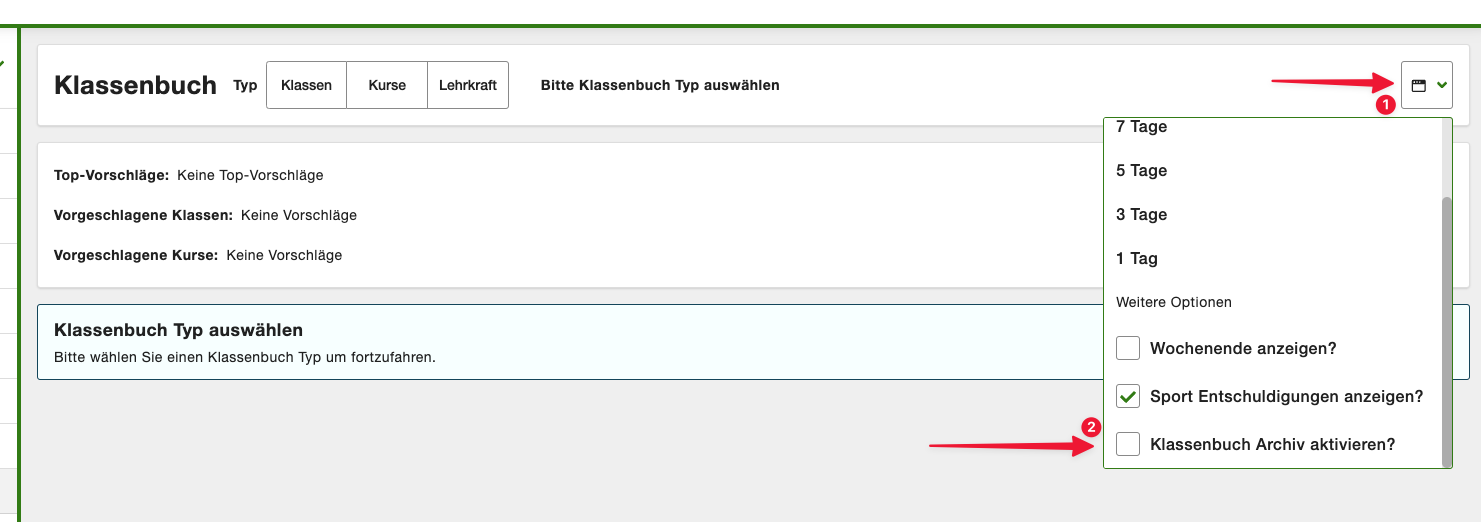
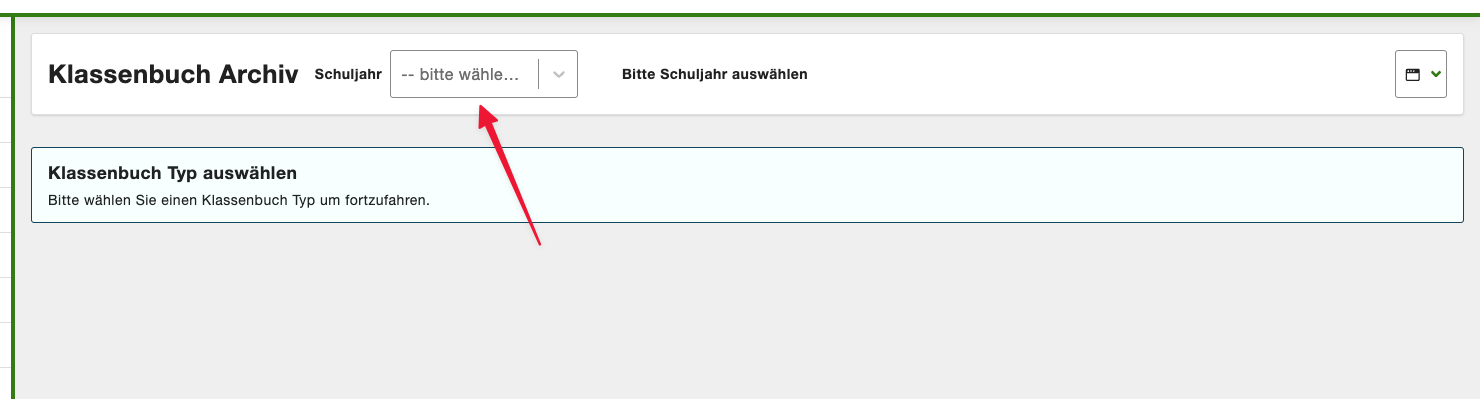
Then select the desired school year for which you want to open the Lesson Log Archive:
Limitations
The following limitations apply to the Lesson Log Archive:
- No new entries can be created in the Lesson Log Archive
- Entries cannot be edited in the Lesson Log Archive
- Entries cannot be deleted in the Lesson Log Archive
- The Lesson Log Archive is only available for classes and courses, not for teachers
- The Lesson Log Archive can only be opened by teachers with the "Lesson Log: Show Archive" permission