Manage My Meeting
Access Meeting
When you have received the invitation to participate in a legal guardian meeting event, you should access your meeting to select the relevant students and create time slots for booking.
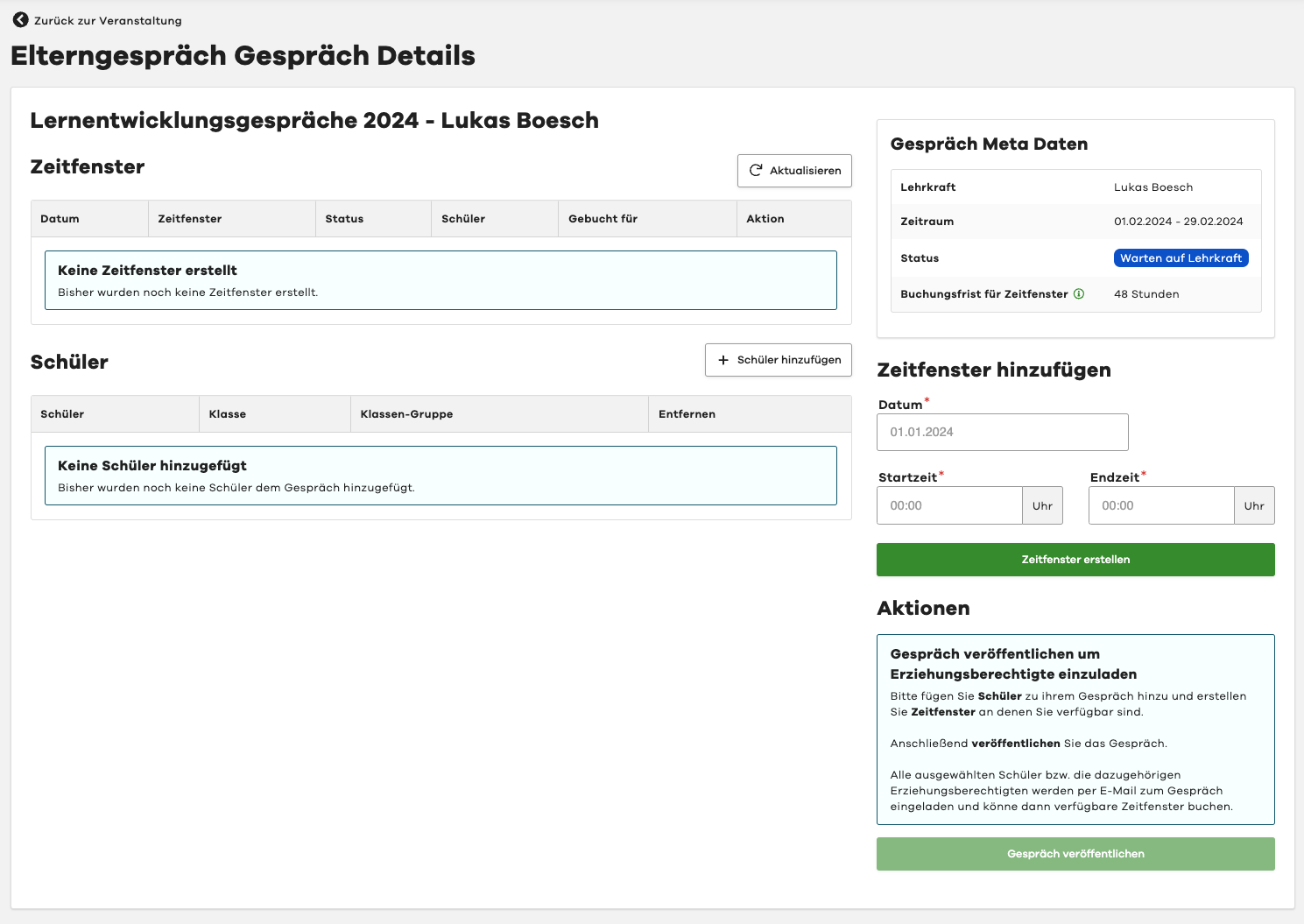
Use either the link directly from the invitation or open the "Legal Guardian Meetings" module and select the desired event there. In the event, select the "My Meeting" tab. This will take you directly to the detail view of your meeting.
Select Students
In the first step, you should select the students whose legal guardians you want to invite to the meeting.
Use the "Add Student" button in the top right corner of the "Students" section.
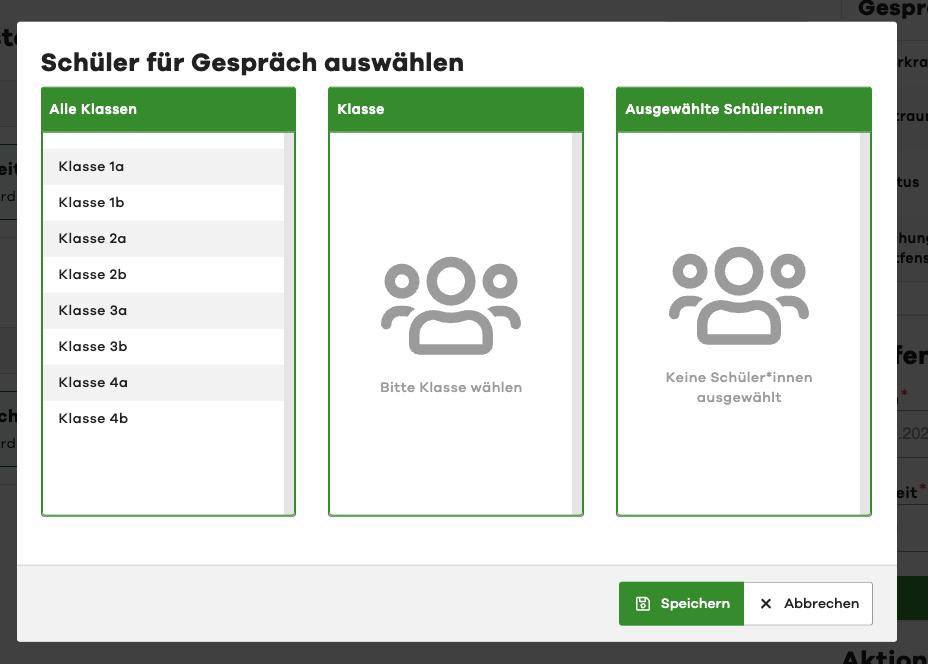
First select the desired class and then the students you want to invite to the meeting.
Finally, click on the "Save" button.
Remove Students
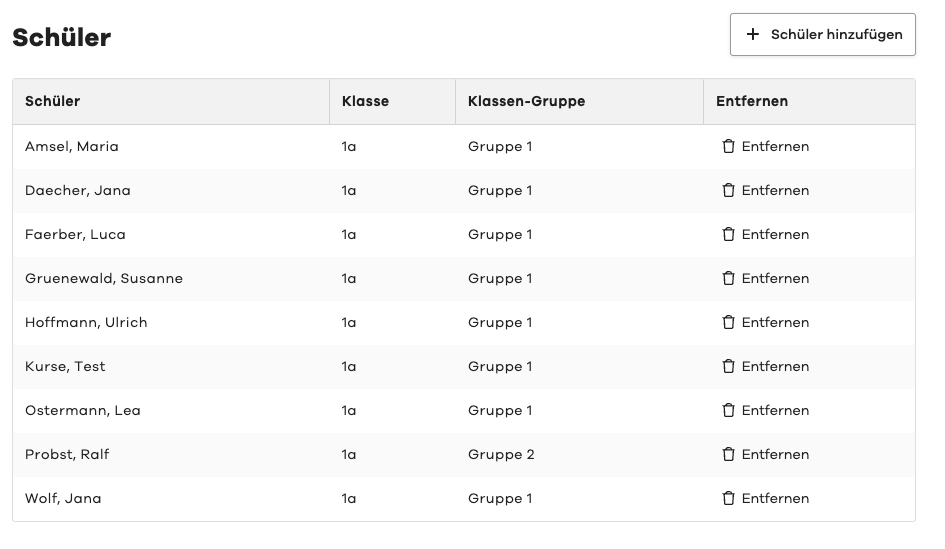
To remove a student from the meeting, please click on the "Remove" button next to the desired student in the list.