Edit / Publish Event
Edit Event
To edit a legal guardian meeting event, please open the "Legal Guardian Meetings" module and then select the desired event from the list.
You are now in the detail view of the event:
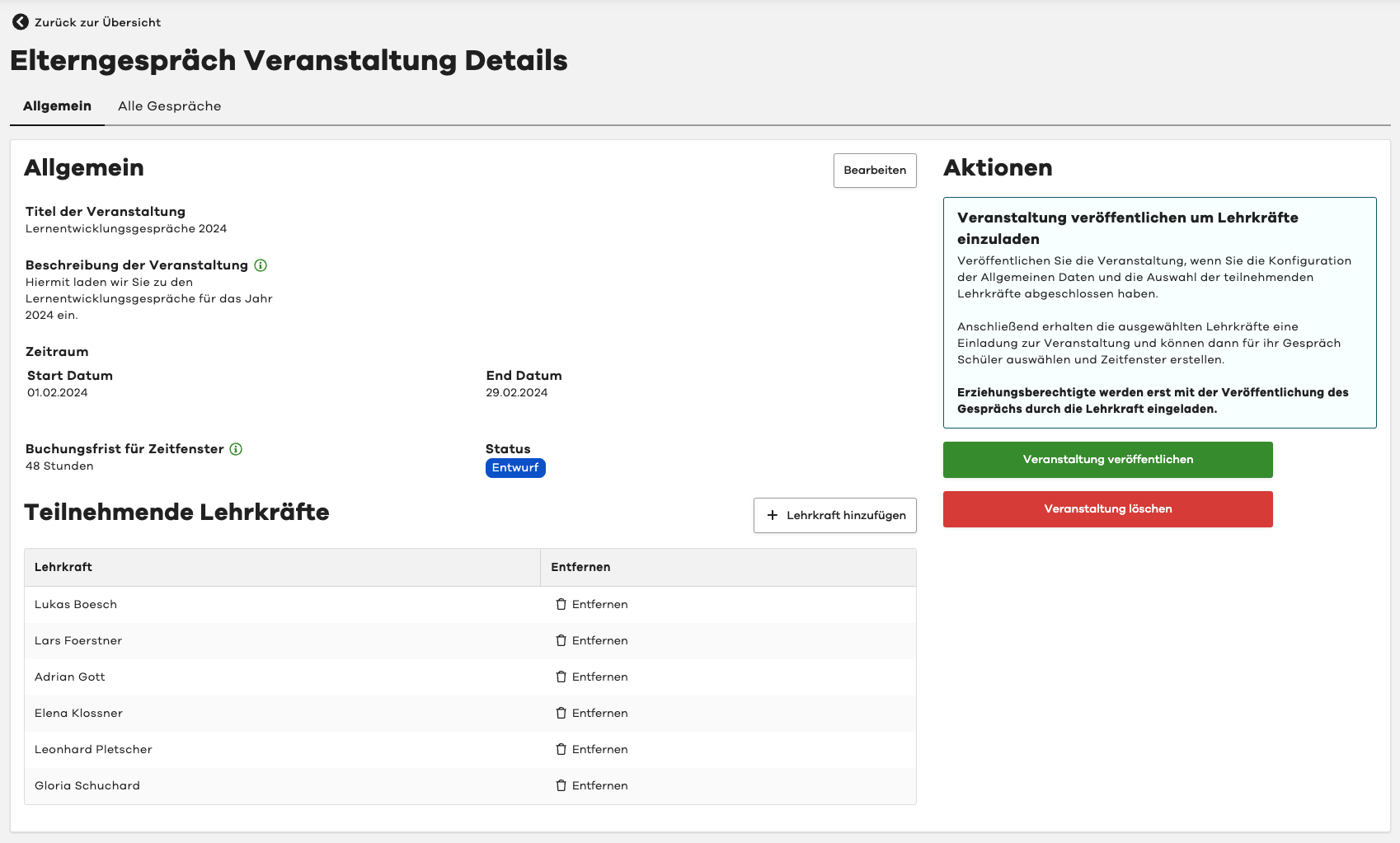
Edit General Information
To edit the general information such as Title, Description, Time Period, and Booking Deadline for the event, please click on the "Edit" button in the top right corner.
There you can make the desired changes and then confirm with the "Save" button.
Edit Participating Teachers
In the "Participating Teachers" section, you will find the list of all teachers participating in the event.
To add another teacher, please click on the "Add Teacher" button above the list.
To remove a teacher from the event, please click on the "Remove" button next to the desired teacher.
Please note that a teacher can only be removed if the event has not yet been published.
However, you can cancel the teacher's meeting.
Additional teachers can be added even after the event has been published.
Publish Event
To make the event available to your teachers, you need to publish it.
By publishing, the teachers have the opportunity to select the relevant students for their meeting and create time slots for booking.
Legal guardians will only be invited when the teacher publishes their meeting.
To publish the event, please click on the "Publish Event" button in the "Actions" section in the top right corner.
Delete Event
To delete an event that has not yet been published, please click on the "Delete Event" button in the "Actions" section in the top right corner.