Manage exempt pupils
It is possible to store an exemption from Corona tests per pupil in edjufy. For data protection reasons, we only store the information that a pupil is exempt and until when this exemption is valid. The reason for the exemption cannot and may not be stored.
Once a corresponding exemption is stored for a pupil, this information is displayed in the pupil list when creating a Corona test. If such a pupil is selected for a test, the result "exempt" is automatically preselected for them. If desired, this preselection can of course be overwritten.
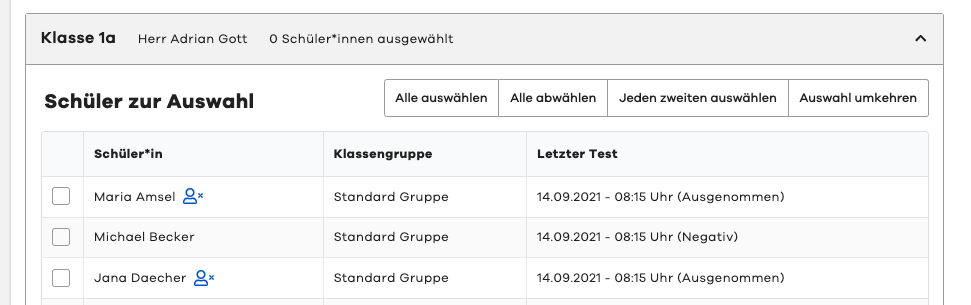
Store exemption for pupil
To store a corresponding exemption for a pupil, you must open the desired pupil in the "System Administration".
To do this, please navigate in the menu to "System Administration" and then to the "Pupils" tab. Here you can now search for the desired pupil using the pupil search and then select them.
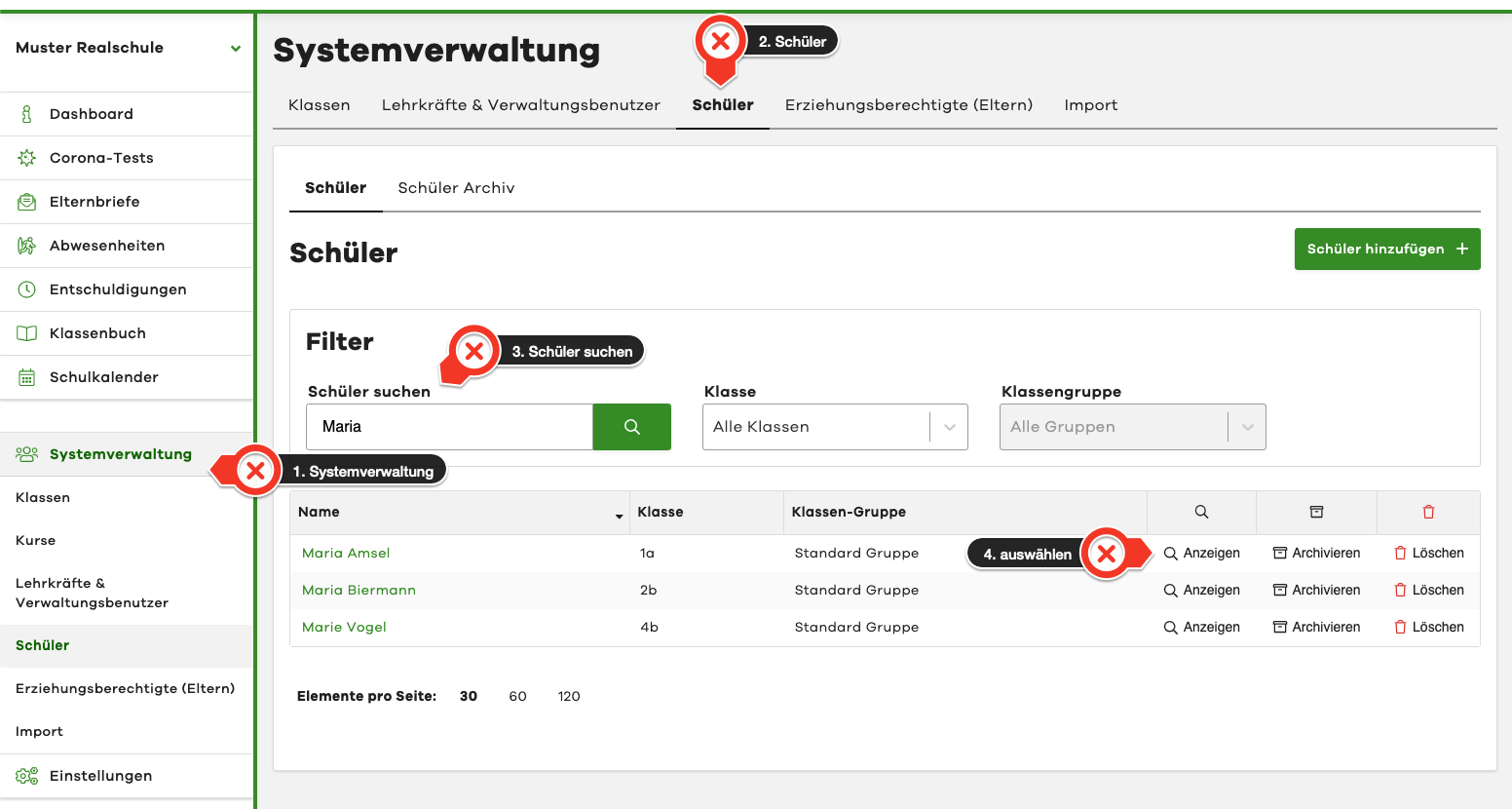
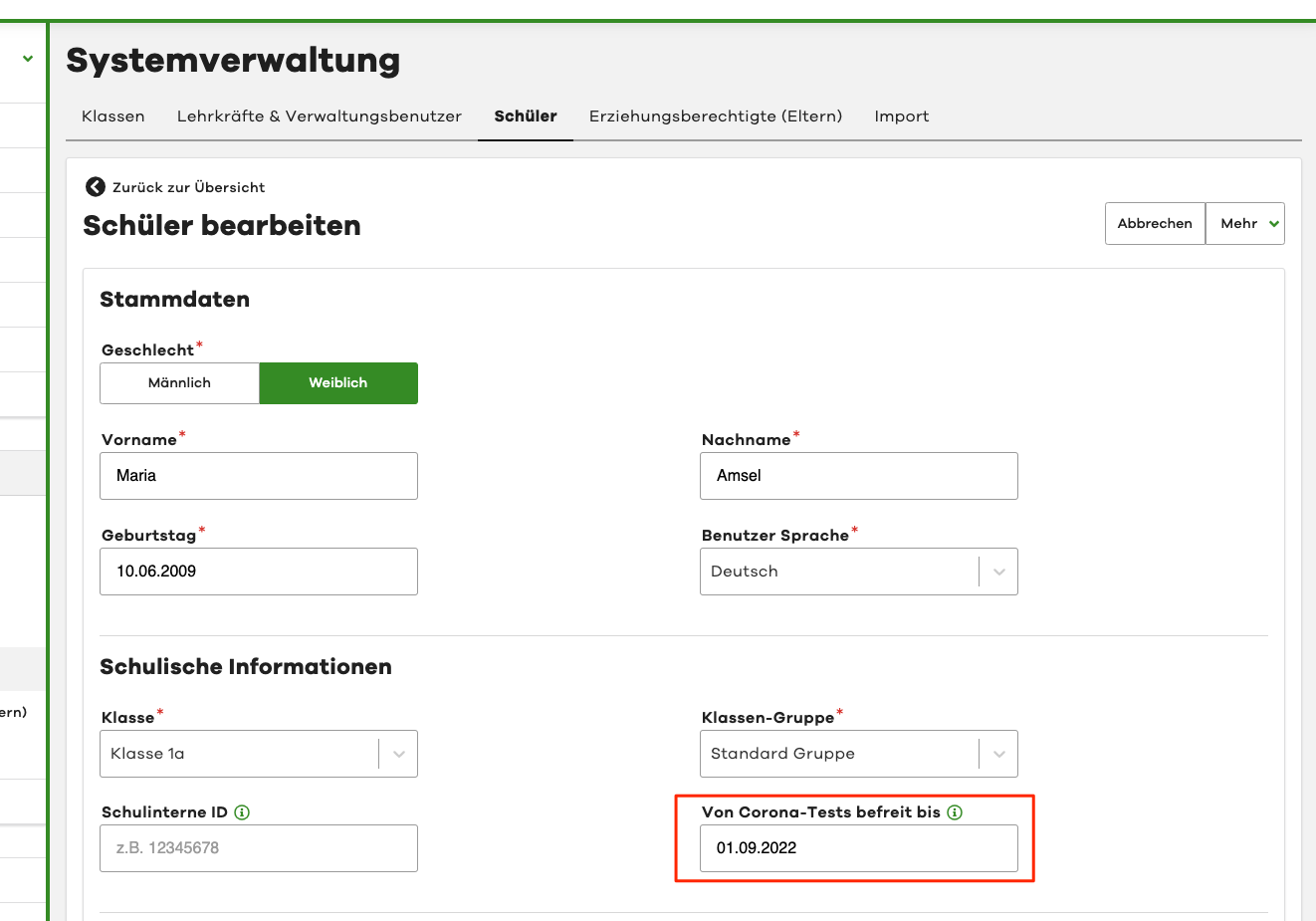
In the selected pupil, switch to "Edit mode" (button at the top right).
Now you can enter a desired date in the "Exempt from Corona tests until" field. The pupil will then be shown as exempt until this date.
Then click the "Save" button at the bottom of the page for your changes to take effect.
Storing exemptions for pupils can only be done by administrators.