Corona Tests Overview
edjufy offers you three predefined views to get an overview of the Corona tests created so far. Within the views, you also have the option to filter the displayed tests by additional criteria.
My Corona Tests
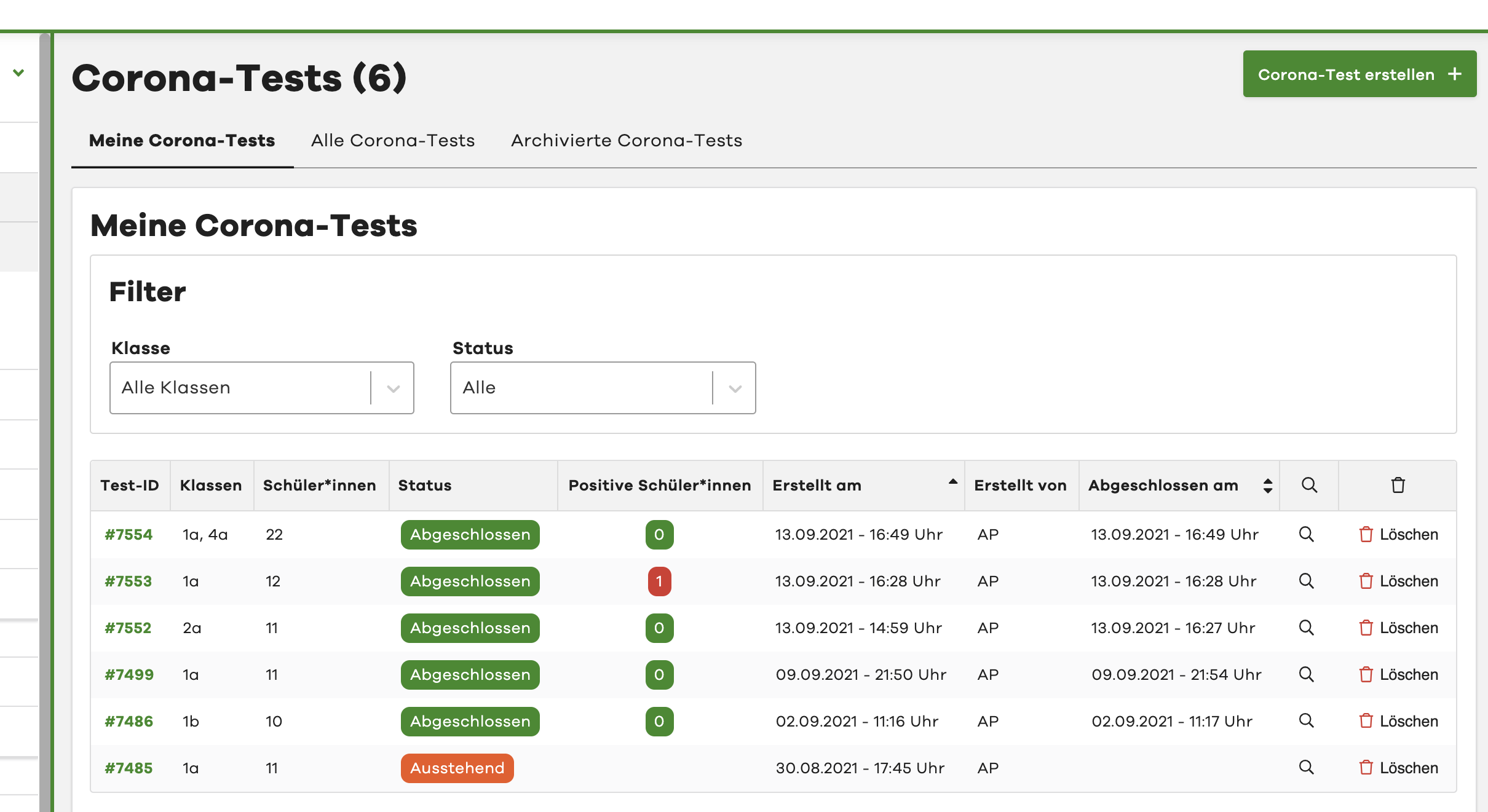
In the "My Corona Tests" view, you can quickly and easily get an overview of all tests you have created. You can see both newly created tests with the status "Pending" and completed tests with the status "Completed". Archived tests are not displayed in this view. See Archived Corona Tests.
You also get a quick overview of the classes you tested, the number of pupils per test, and the number of positive test results.
If you want to view more details about a Corona test, simply click on the corresponding row in the table.
You can find out how to narrow down the displayed tests using filters here: Filter views.
All Corona Tests
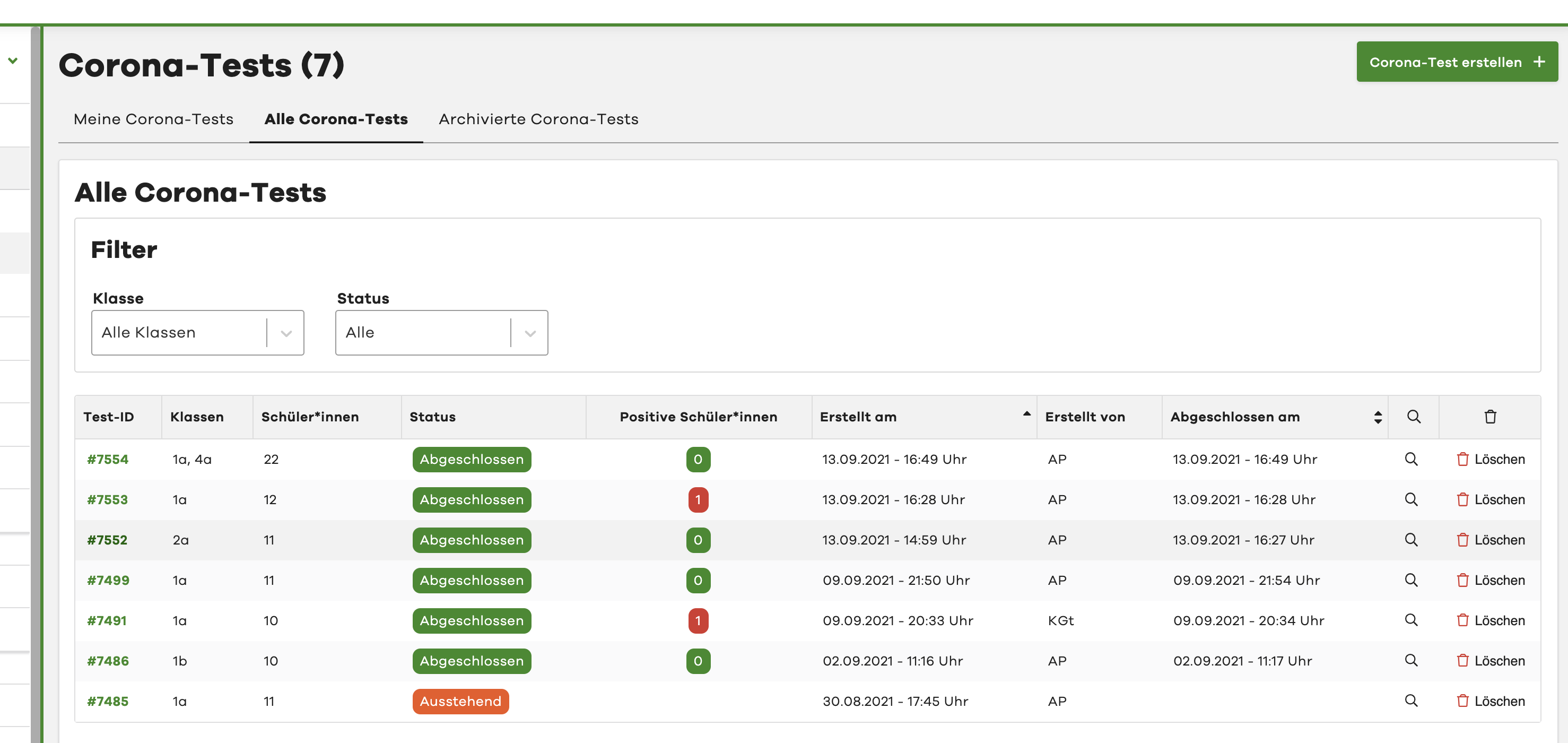
In the "All Corona Tests" view, you can quickly and easily get an overview of all Corona tests created and conducted so far. You can see both newly created tests with the status "Pending" and completed tests with the status "Completed". Archived tests are not displayed in this view. See Archived Corona Tests.
You also get a quick overview of the tested classes, the number of pupils per test, and the number of positive test results.
If you want to view more details about a Corona test, simply click on the corresponding row in the table.
You can find out how to narrow down the displayed tests using filters here: Filter views.
Archived Corona Tests
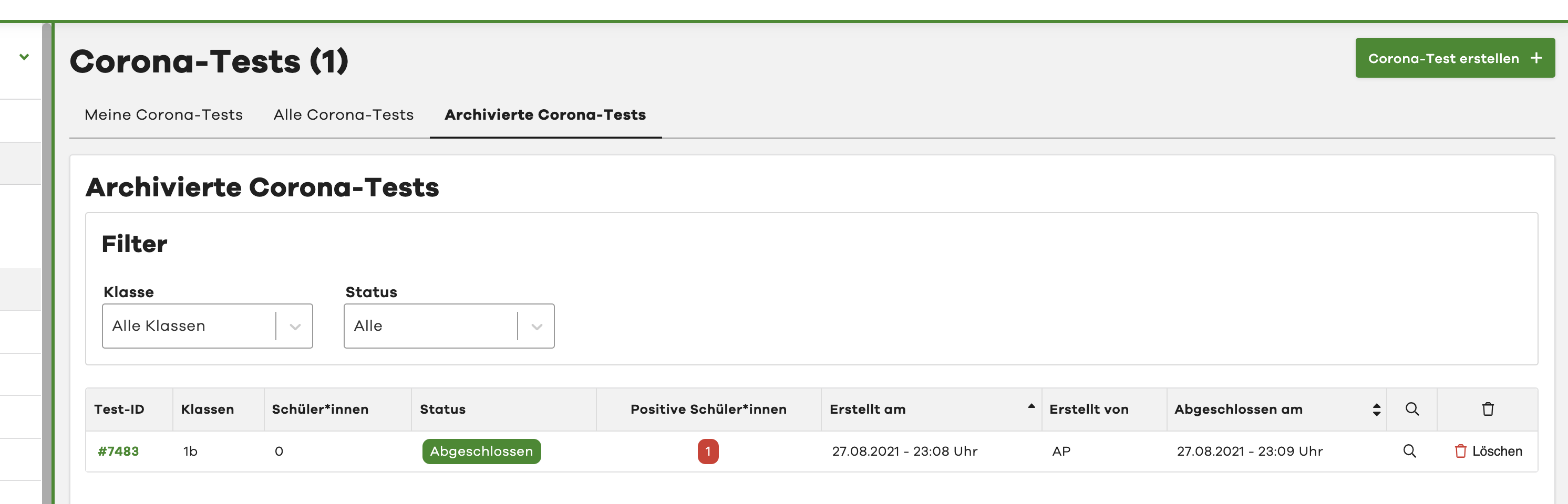
In the "Archived Corona Tests" view, you can find all Corona tests that have been automatically archived by the system. This allows you to access tests where the results were recorded more than 14 days ago.
Learn more about the automatic archiving of Corona tests here.
If you want to view more details about an archived Corona test, simply click on the corresponding row in the table.
You can find out how to narrow down the displayed tests using filters here: Filter views.
Filter views
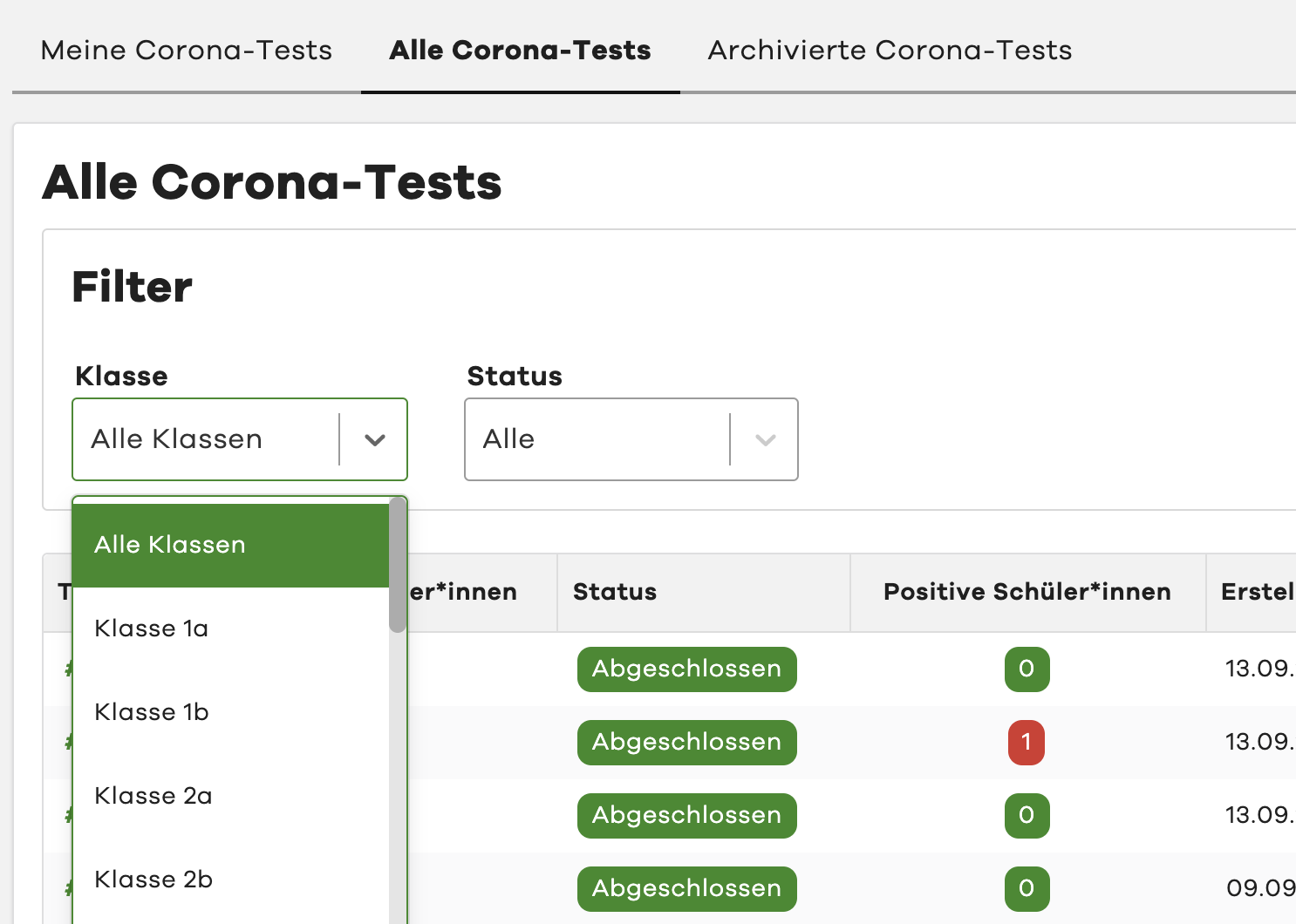
Using the "Filter" section - which you can find in all overview tabs, you have the option to further narrow down the displayed Corona tests. You currently have the following filter options:
Filter by class
With the "Class" filter, you can display only Corona tests of a specific class. Simply select the desired class in the filter dropdown. All Corona tests for this class will then be loaded automatically.
Filter by status
With the "Status" filter, you have the option to display only tests with a specific status. You can choose between completed and pending tests. Select the desired status in the filter dropdown. All Corona tests with the selected status will then be loaded automatically.
Delete Corona test
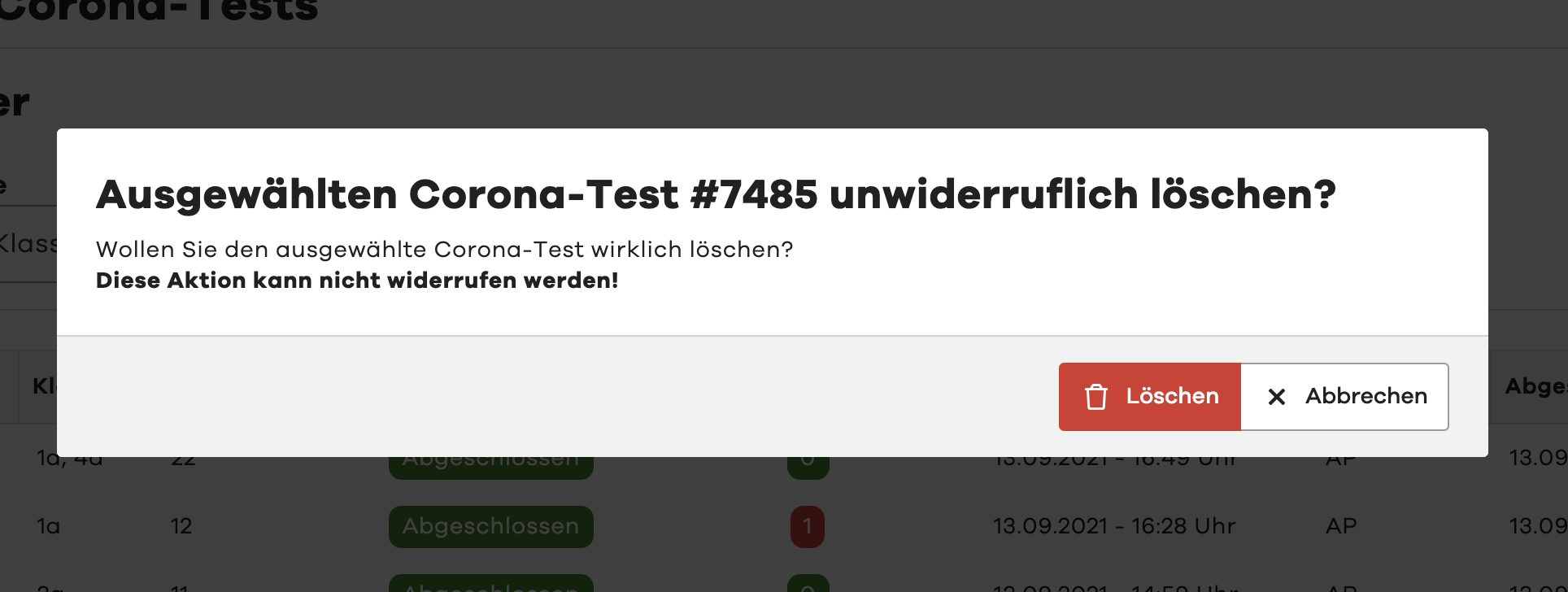
To delete a test that has not yet been completed, for example, simply use the "Delete" button in the right column of the table. After clicking, you must confirm the deletion in an additional prompt.
Please note that deleting a test is irreversible. The test cannot be restored afterwards.
Depending on your school's configuration, you may not be authorised to delete an already completed test.